Verification status
Check whether your mobile number has been confirmed and whether any account detail needs attention. This page also provides the clearest route when a new device triggers an additional ownership check.
kiwi123 places Live Dealer Lobby, Super Bingo, Fish Hunter, slots and sports markets behind one account, with DANA and QRIS visible beside the cashier route.
The home lobby places casino and slots close to the search field, with filters that help you move between familiar titles and different studios.
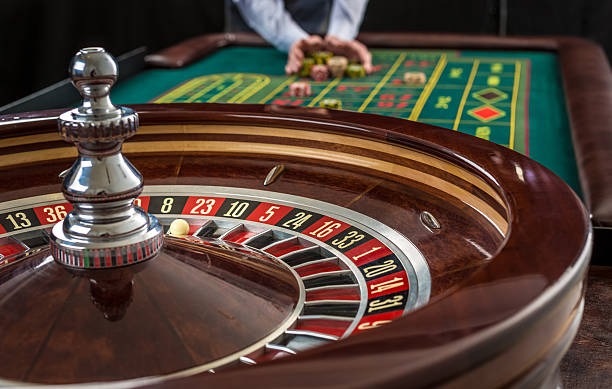
Casino rooms appear first, followed by live dealer tables, slot searches, fishing games and direct access to our sports area.
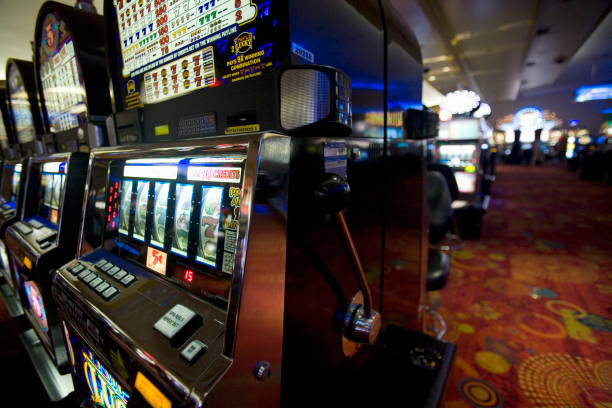
Pragmatic Play, PG Soft and Habanero sit alongside several regional studios, giving you recognisable slot formats, table controls and mobile layouts.
DANA, OVO, GoPay and QRIS appear as separate cashier choices, so you can select the rail you actually use rather than guessing from a generic wallet label.
Useful home links should answer a question before you commit funds or enter a round.
Check whether your mobile number has been confirmed and whether any account detail needs attention. This page also provides the clearest route when a new device triggers an additional ownership check.
Each submitted wallet or bank request receives a visible status in the cashier history. Keep your receipt available when contacting us, as its reference helps locate the relevant transaction.
Open the rules panel before entering a slot, fishing room or dealer table. Studio details, round conditions and available controls belong with the game rather than inside promotional copy.
Our policy links explain account use, identity checks, regional availability and transaction handling. They remain reachable from the home footer, including before you create an account or fund the wallet.
A clear first visit starts with the account button, phone verification and a quick look at the lobby menu.
Our mobile home keeps account access, game search, wallet status and support in the same menu path used on larger screens.
Phone verification creates a clear ownership checkpoint before full account access.
Your active mobile number is checked during the account flow. This creates a direct recovery point and helps us confirm ownership when login access or sensitive profile details need attention.
Wallet and bank names should match the registered account holder. A mismatch may require additional checks before a withdrawal or transfer-status question can be resolved through the cashier.
Changing phones or browsers can trigger an extra account check. Keep your contact details current, avoid shared credentials and close the session when using a device that other people can access.
Game cards identify their studio and provide access to rules where supplied. Those details let you inspect controls, round behaviour and category-specific conditions before entering with your account balance.
Scattered links make it harder to confirm which account page, cashier route or game room belongs together. Our home keeps the active lobby, account status and help path under one navigation system.
The home account button starts the verified account path. You do not need separate profiles for casino rooms, live tables, slots or sports markets available through the same supported account.
Casino, slots, live tables and sports remain linked through one menu. Moving between them does not require searching for another domain page or repeating your basic account setup.
The cashier keeps submitted DANA, OVO, GoPay and QRIS requests beside their current status. This gives you a consistent place to check progress before contacting the service channel.
Phone and tablet menus use the same main labels as computer access. Once you know where the lobby, cashier and help controls sit, changing screen size requires fewer navigation steps.
The home footer connects account conditions, privacy wording and regional access details. You can return to those pages without locating an old message or relying on an unrelated search result.
Support sits close to the cashier and account path. When a status stalls, you can provide the displayed reference and receipt details from the same navigation area used for the request.
Return-to-player data is tied to individual game versions, not to the home page as a single rate.
Check the game rules for the value attached to the available version and configuration.
Baccarat, roulette, blackjack and Dragon Tiger display table rules and available betting ranges.
Fish Hunter pages explain controls, scoring behaviour and the cost attached to each action.
Super Bingo provides its round format and prize conditions through the game interface.
Football, badminton and basketball selections show market terms before a wager is submitted.
RTP percentages are informational reference values from provider documentation. Actual session outcomes vary.
Our browser-based home is available across supported regions in Indonesia, including connections from Jakarta and Surabaya, where local law permits. Access quality depends on your device, browser and network rather than your city alone. The same account route, lobby menu and cashier choices appear on compatible phones, tablets and computers. DANA, OVO, GoPay and QRIS remain the named wallet options, while bank transfer availability can depend on the account and banking route shown at the time of your request.
Six practical elements shape the home experience: a verified account path, casino search, live tables, sports categories, local cashier rails and reachable help.
The account button begins a step-by-step path that includes mobile-number confirmation. We display the next required action rather than sending you between unrelated login and profile pages.
Search by game title or studio from the casino area, then open the card for rules and device details. Filters remain available when the slot grid changes for smaller screens.
Live Dealer Lobby groups baccarat, roulette, blackjack and Dragon Tiger table contexts. Wider screens show more table details, while mobile access keeps table controls within a touch-ready view.
Football markets sit beside badminton and basketball in the sportsbook navigation. Selection details and market terms appear before submission, helping you check the entry from the same account.
DANA, OVO, GoPay and QRIS appear under their own names, alongside virtual account and bank transfer routes. Each selected rail displays the steps relevant to that transaction request.
Help links sit near account and cashier records, where you can see the affected status. A receipt reference and request time give our service channel a clearer starting point.
These answers cover the questions we receive about our home page, account route, lobby access and Indonesian cashier options. They explain where to begin, what appears after phone verification, how mobile navigation behaves and which details help when contacting support. Conditions can vary by account, game or transaction rail, so check the status and terms displayed during your request. If the visible answer does not match your situation, contact us through the help link beside the account or cashier area.
Begin with the account area, where you can create your profile and complete phone verification. Next, use the lobby menu to choose casino, slots, Live Dealer Lobby or sports.
Enter accurate profile details and verify an active mobile number. Check that the displayed account name matches the wallet or bank record you expect to use later.
Select casino, slots, live tables or sports from the home menu. Search and category filters help narrow the available area without changing your account or navigation path.
Select the intended local rail and follow its displayed steps. Keep the receipt or transaction reference until the request has reached a final status in your cashier history.
Use live chat, email or mobile help when login or transaction status needs attention. Include the relevant reference and timeline while keeping passwords and verification codes private.